


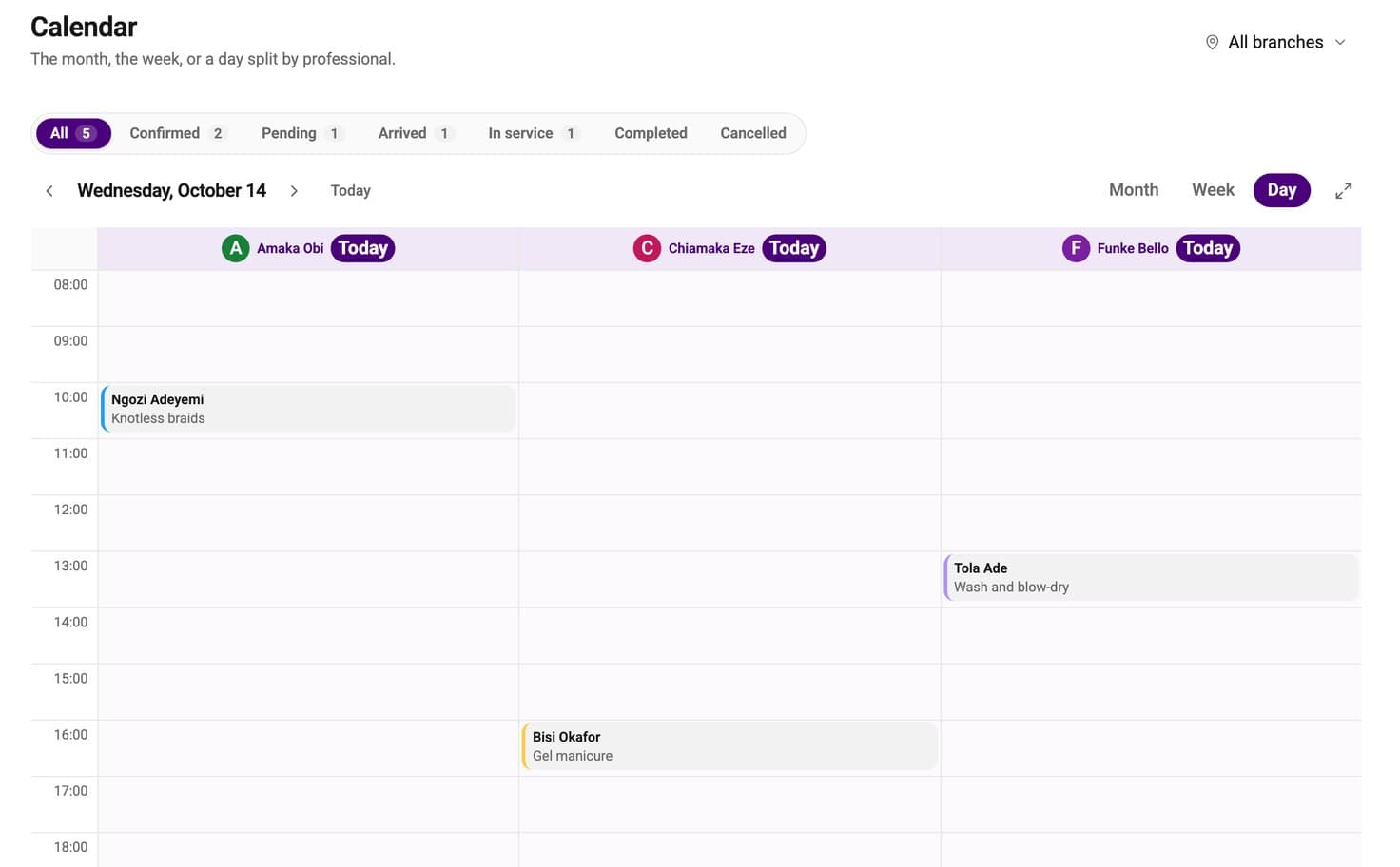
Every stylist's day, side by side.
One column for each person, so nobody's clients get mixed up.
Clients choose a service, a stylist and a time on your own link, and pay a deposit to hold it. They get a reminder before they come. We take 0% of your bookings.

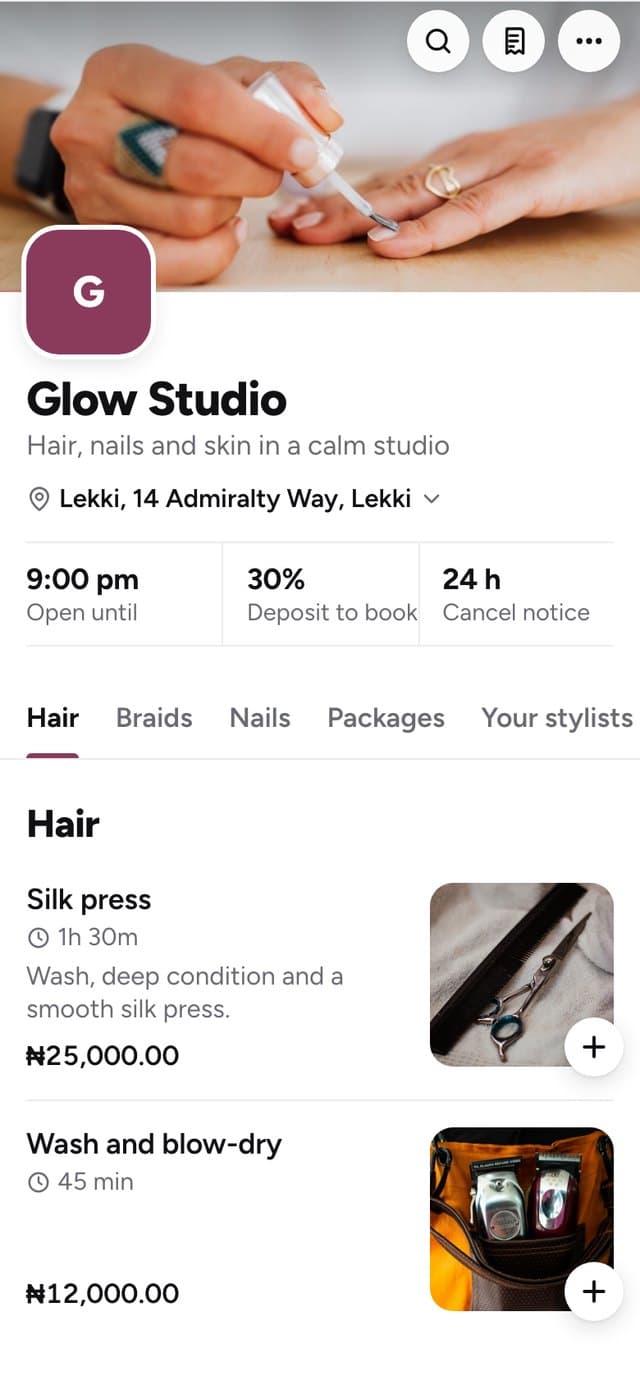
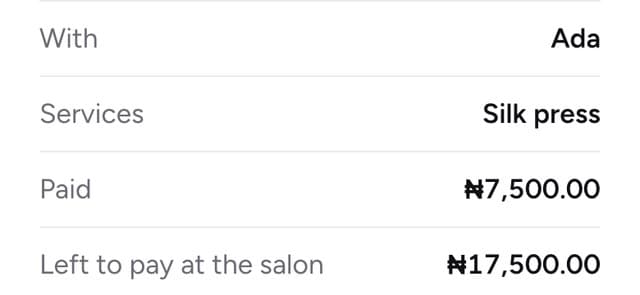
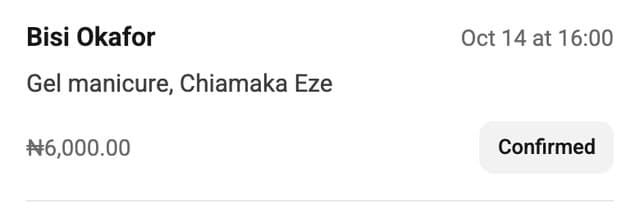
Real MesaDash screens with example data.
Everything happens in MesaDash, from the booking to the money.
Your services, prices and stylists on a link that opens on any phone. Share it in your bio and in your chats.
Anyone available, or a stylist by name. Only the stylists who do that service are shown.
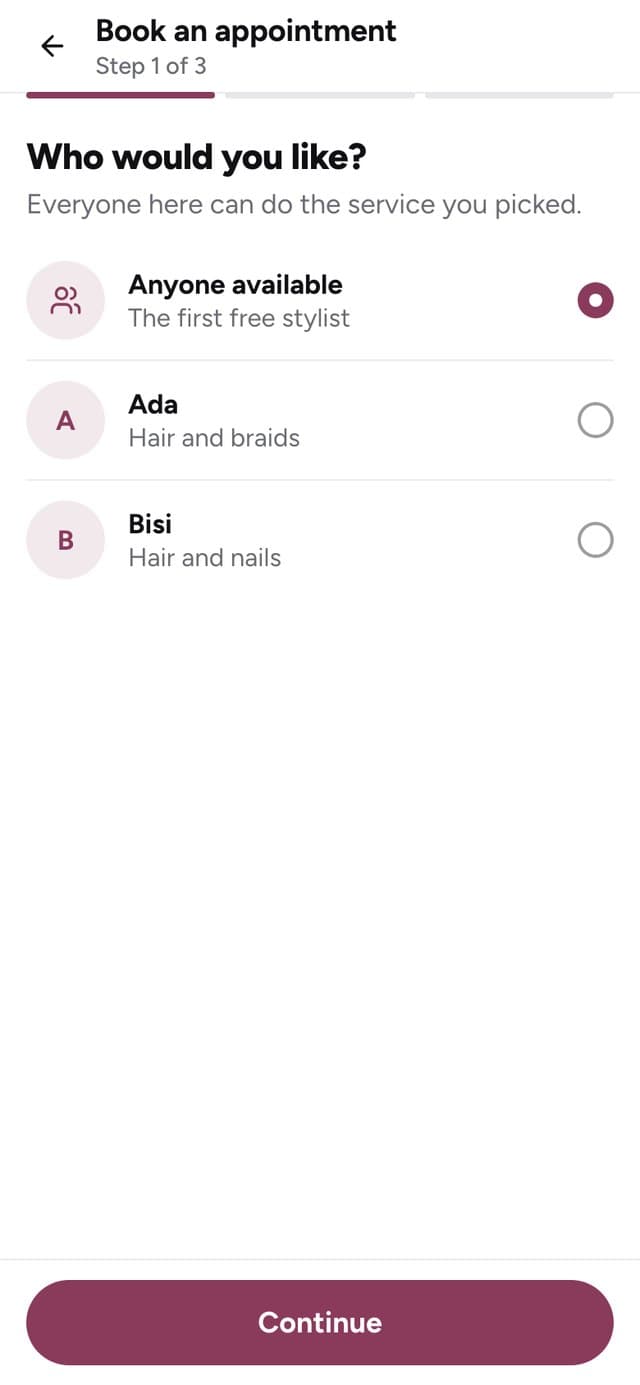
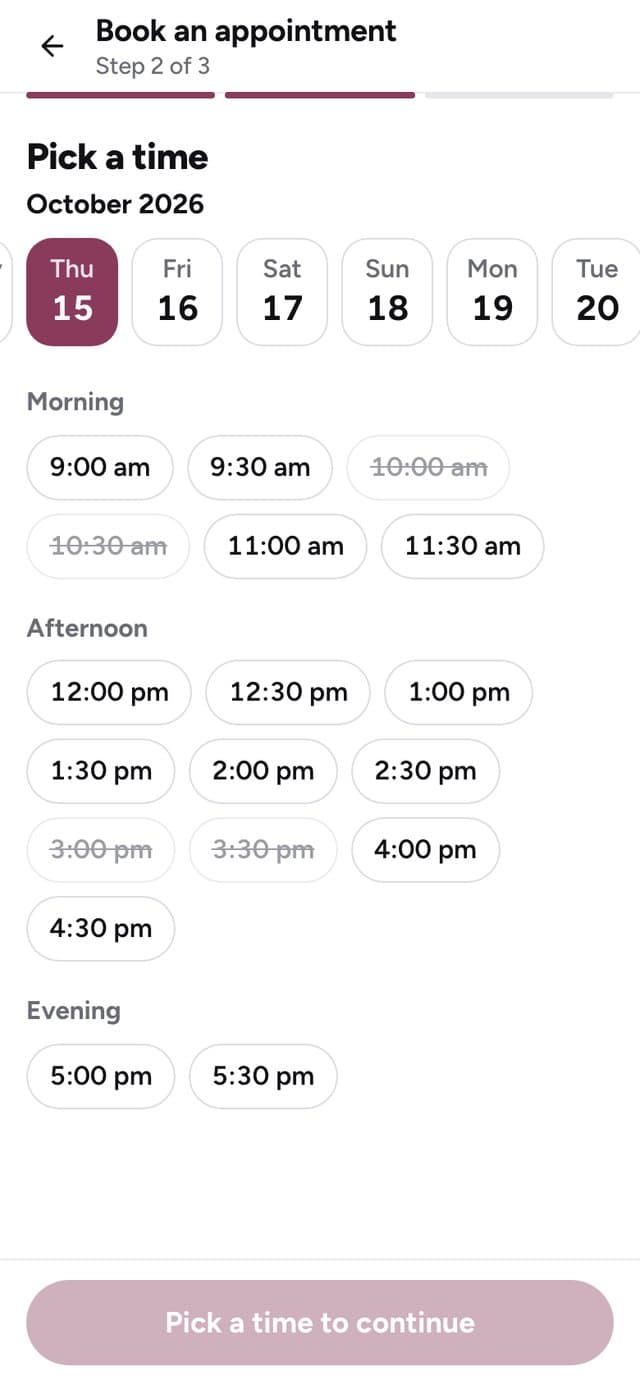
Only free times show. A long braid holds the chair for the full time. A quick trim frees it sooner.
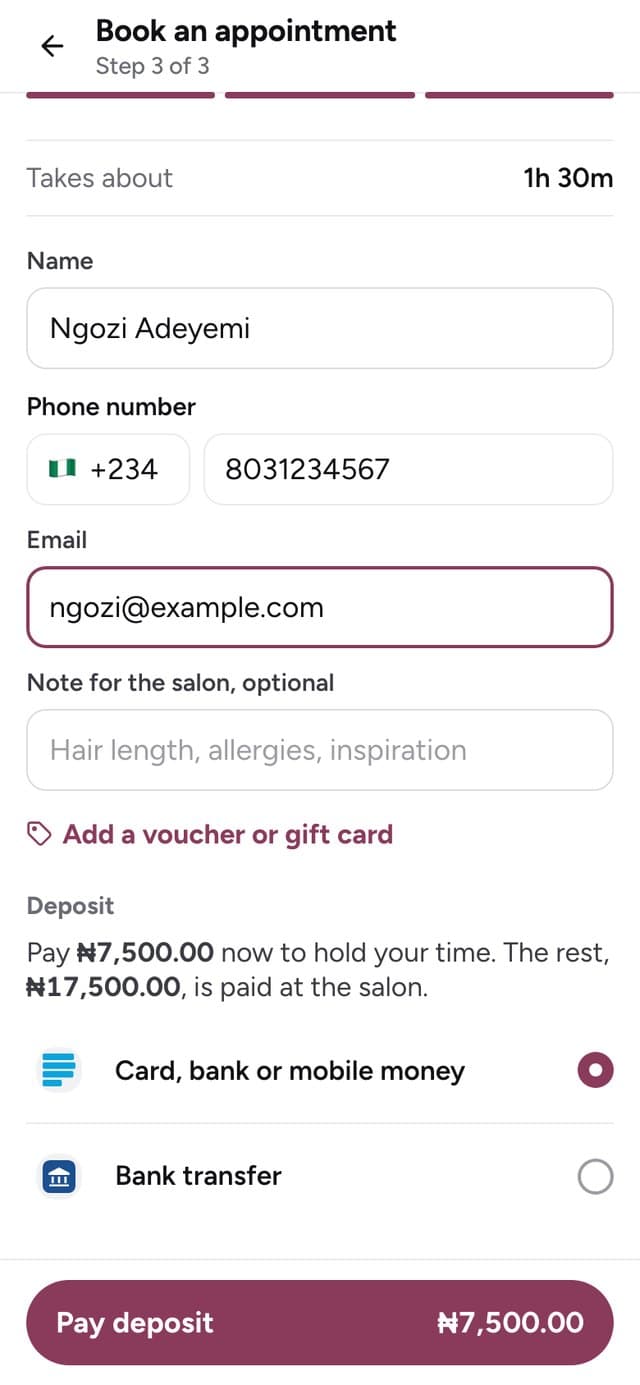
You choose the deposit for each service. It goes straight to your own account.
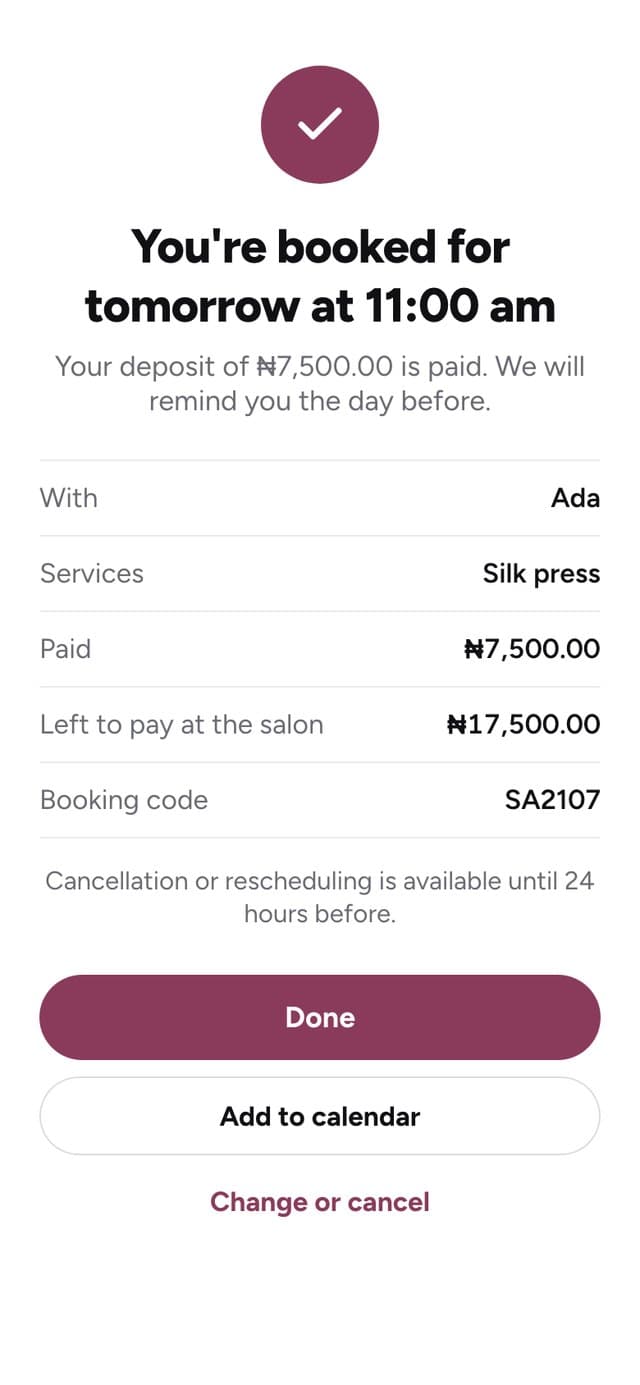
A booking code, a button to add it to their calendar, and a reminder the day before. They can change or cancel from their link.
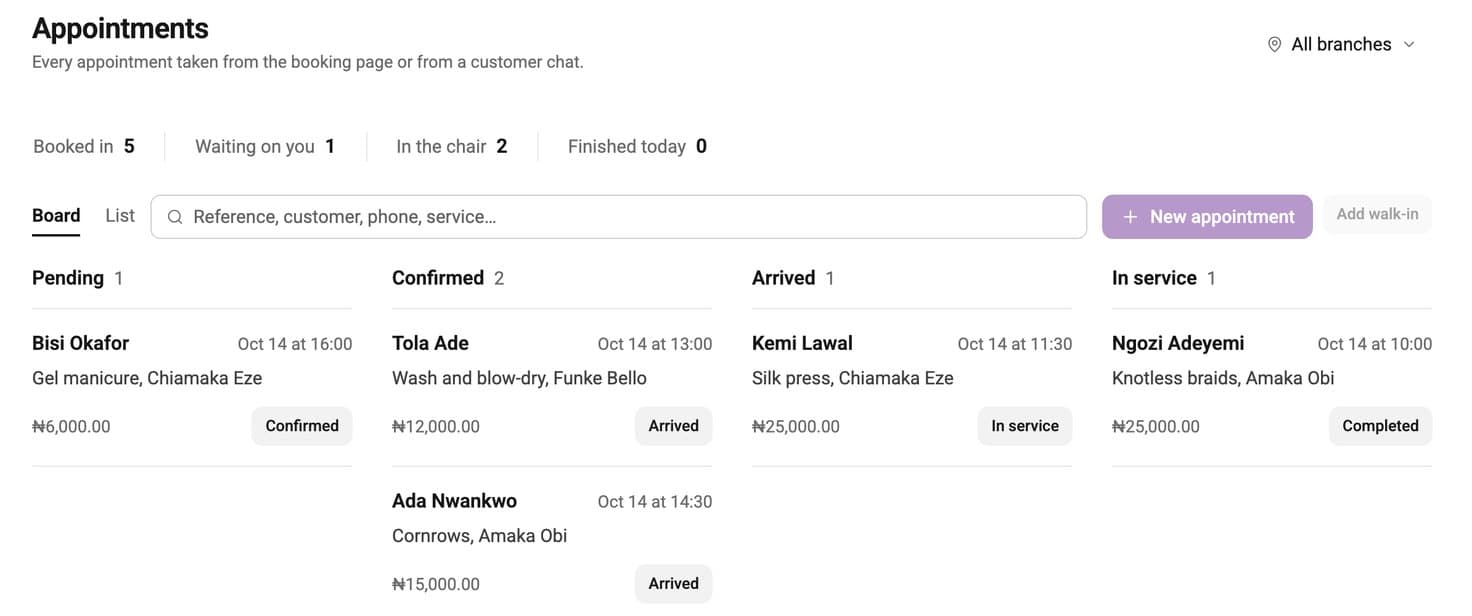
Every booking on one board: waiting, confirmed, arrived and in the chair.
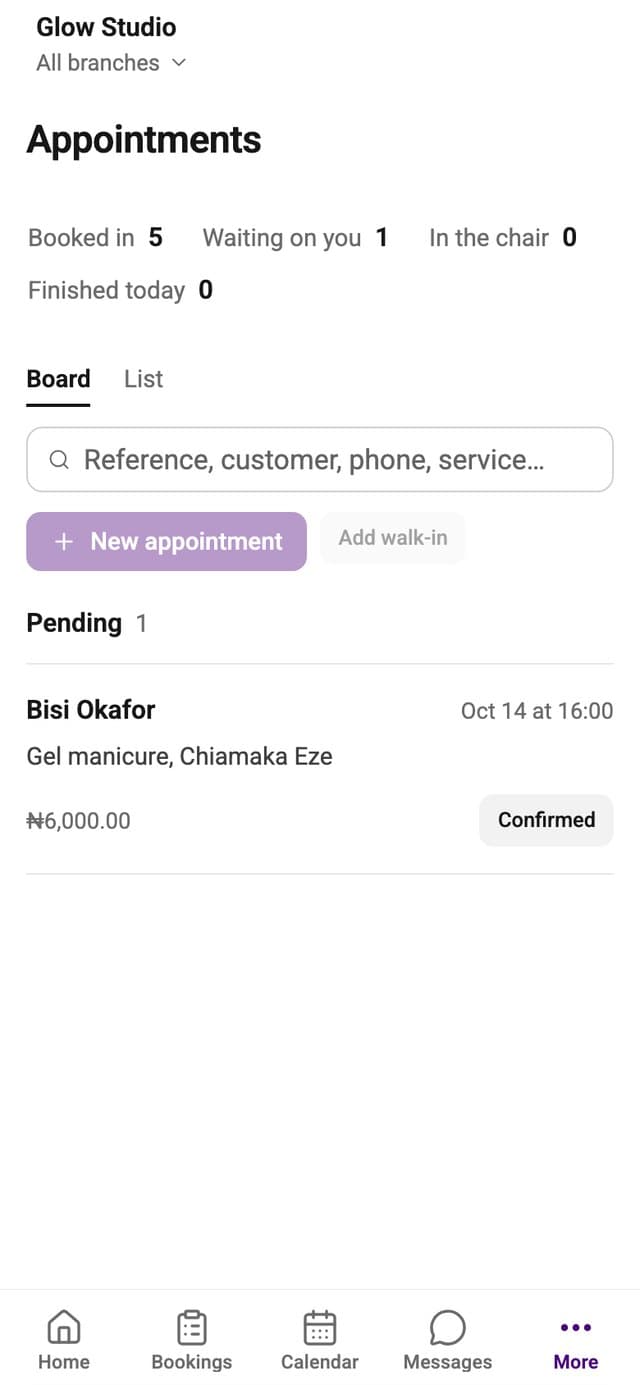
Your link is where it starts. This is what runs behind it.
One column for each person, so nobody's clients get mixed up.
Their working days, breaks and time off.

Each service holds the chair for as long as it takes.
Move each booking along with one tap: confirmed, arrived, in the chair, done.
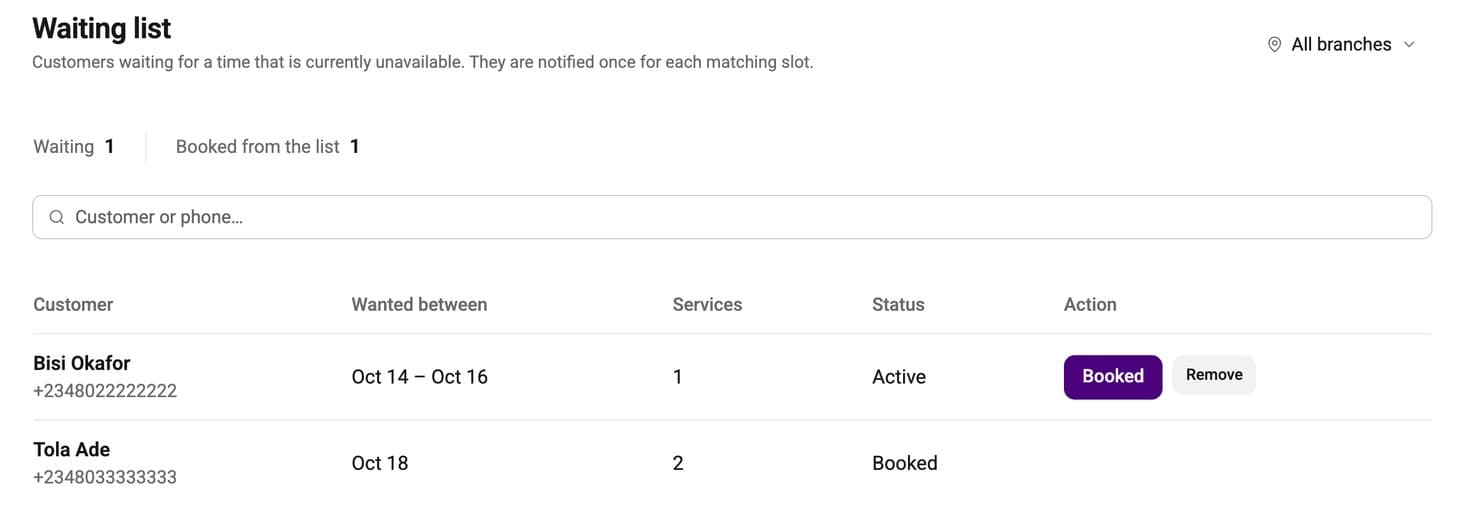
When a time frees up, the people waiting for it are told.
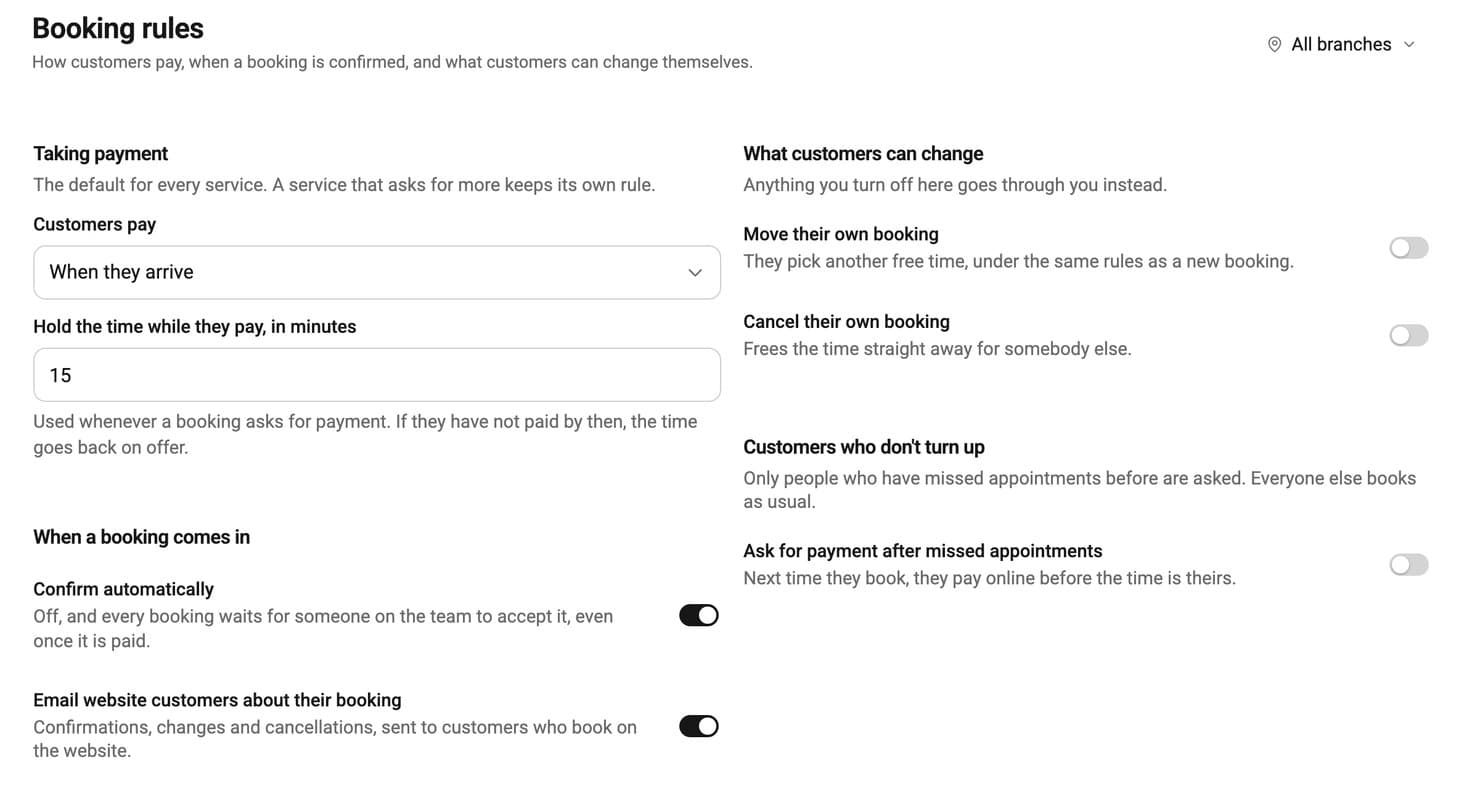
Choose how clients pay, and whether they can move or cancel their own booking.
Many salons keep a booking app for new clients and send their regular clients to their own link.
Their times and prices. Choose which stylist does each one.
Put it in your bio and send it in your chats.
Clients book and pay their deposit to you directly.
No bank card needed to start.

Yes. Each person has their own hours and the services they do. Each service has its own length, and bookings get a chair or room from the ones you have.
Yes. They pick a stylist by name, or anyone available, and only see the times that person is free.
You choose for each service whether to take a deposit, and how much. The client pays it when they book, and it goes straight to your own account.
Yes. A reminder goes out before the appointment, in the chat app they booked from, or by email if they booked on your link.
Yes, from the link on their booking, up to the time you set. You can turn either one off.
Clients can join the waiting list for that day. When a time frees up, they are told.